Websites by trade
Architect website design
Give each project a clear stage, role and set of images so a visitor knows what exists and what is planned.
·

Effective architect website design is the planning of pages that help prospective clients understand the practice, judge relevant projects and send a useful enquiry. Plan a homepage, project index, individual case studies, services and process, practice information and a contact route. Start with one complete project page to test the layout, images and editing process. Give it a stage, location, practice role and clearly labelled, captioned photographs, plans or proposal drawings.
An interior practice may also need to show the scope of a room or fit-out, the interior work that makes a space ready to use. A developer needs to explain what is planned and how someone can ask about it.
Start with one project a client can understand without asking you to explain the images.
What should an architecture firm website include?
An architecture firm website should include a homepage, project index, individual case studies, services and process, practice information and a contact route.
| Page | Visitor question | Required content |
|---|---|---|
| Homepage | Does this practice fit my brief? | Work types, places served and relevant projects |
| Project index | Has the practice done similar work? | Project names, labelled images and case study links |
| Individual case studies | What did the practice contribute? | Brief, location, stage, practice role and credited images |
| Services and process | What can I ask the practice to do? | Scope, working process and what to prepare |
| Practice information | Who will I work with? | People, experience and collaborators where relevant |
| Contact | How do I start a useful conversation? | Contact route and the brief details to send |
What makes a good architect website?
A good architect website makes relevant work easy to find, explains the practice's contribution and gives the visitor a clear next step. Check those decisions with a real project before approving the wider layout.
- Navigation: can a visitor find relevant work and return to the project index without guessing what a label means?
- Readable typography: can someone read the brief and captions on a phone without enlarging the page?
- Project imagery: do photographs, plans and drawings explain the space and carry clear stage labels and credits?
- Enquiry placement: can someone ask about a similar brief from the project page, with the project name carried into the conversation?
What should an architecture project page include?
An architecture project page should give the project name, location, brief, stage, practice role, credited images and a clear next step. Give them the name of the project, the kind of work and the role the team held. Put the stage in words. Add the images that help someone understand the brief, the place or the finished space. Use captions to explain how those images fit the project.
The architect website builder guide gives a trial and handover check for one of these project records.
Decide where the visitor can go next. A practice may want someone to see another project or enquire about a similar brief. An interior designer may need to show a specific service. A developer may need to help someone check an available unit or ask about an address. Give that step a clear link before building a large index.
| Part of the page | What to include | Check before publishing |
|---|---|---|
| Project name and place | A name people can find and the location you can share | The title and location match approved materials |
| Brief | The client need and scope of the work | The practice has approved what can be shared |
| Stage | Concept, in progress or complete in clear words | The stage is current |
| Practice role | The part of the project the team did | The credit includes other contributors as agreed |
| Images and plans | Files that explain the work, each with a caption | Permission, image credit and phone crop are checked |
| Next step | Another project, a service or a contact path | The link opens the right destination |
A manufacturer's product page does the same job for a part: see industrial web design for manufacturers.
Can an architect show concept drawings in a portfolio?
A practice can include concept drawings when sharing is permitted, the project stage is clear and the practice's role is stated. Label each image as a sketch, proposal or photograph of completed work. Call a sketch a sketch. Say when a view shows a proposal or an example of a finished space. Put that text beside the picture.
A person may reach a project page from a shared link and miss the note on the portfolio cover. Keep the stage in the record and on the picture when it matters.
The RIBA Plan of Work gives a reference for project stages and what a team shares at each. Your public page can use shorter terms. Agree a wording for each stage with the practice. Ask someone who has not seen the plans what the label tells them has happened so far.
"stage outcomes, core tasks and information exchanges"
An early project may only need a location, short brief and a small drawing. If the project changes, keep its address and update the stage and description. Record who can approve the words and which image belongs with the current design. This gives the next editor a simple check when new material arrives.
If a photographer visits after a project opens, keep the concept drawing with its own date and caption if readers still use it. Give the new photograph a separate place. A client should be able to tell what has changed since the early design without using a separate brochure.
How should the images explain the work?
Choose each image to explain the space, route or material. A finished view can show how a space feels. A plan can help someone follow the route from a street to an entrance. A detail can explain one material choice. A short caption gives each picture context, including what a drawing shows and when a photograph was made if that matters.

One house, three stages, in order. Show each project stage beside the image that proves it.
Test the images on a narrow phone before exporting a whole set. Put the most useful detail inside the crop. For a detailed plan, give a short text alternative and put the information a reader needs beside the drawing. W3C's guidance on complex images shows how to provide both.
If the plan helps a visitor find the entrance, give the street, doorway and any step or lift in words. For a public entrance reached from a courtyard, name the route from the street and the door to look for. Ask someone to follow that account with the image hidden before you approve the project page.
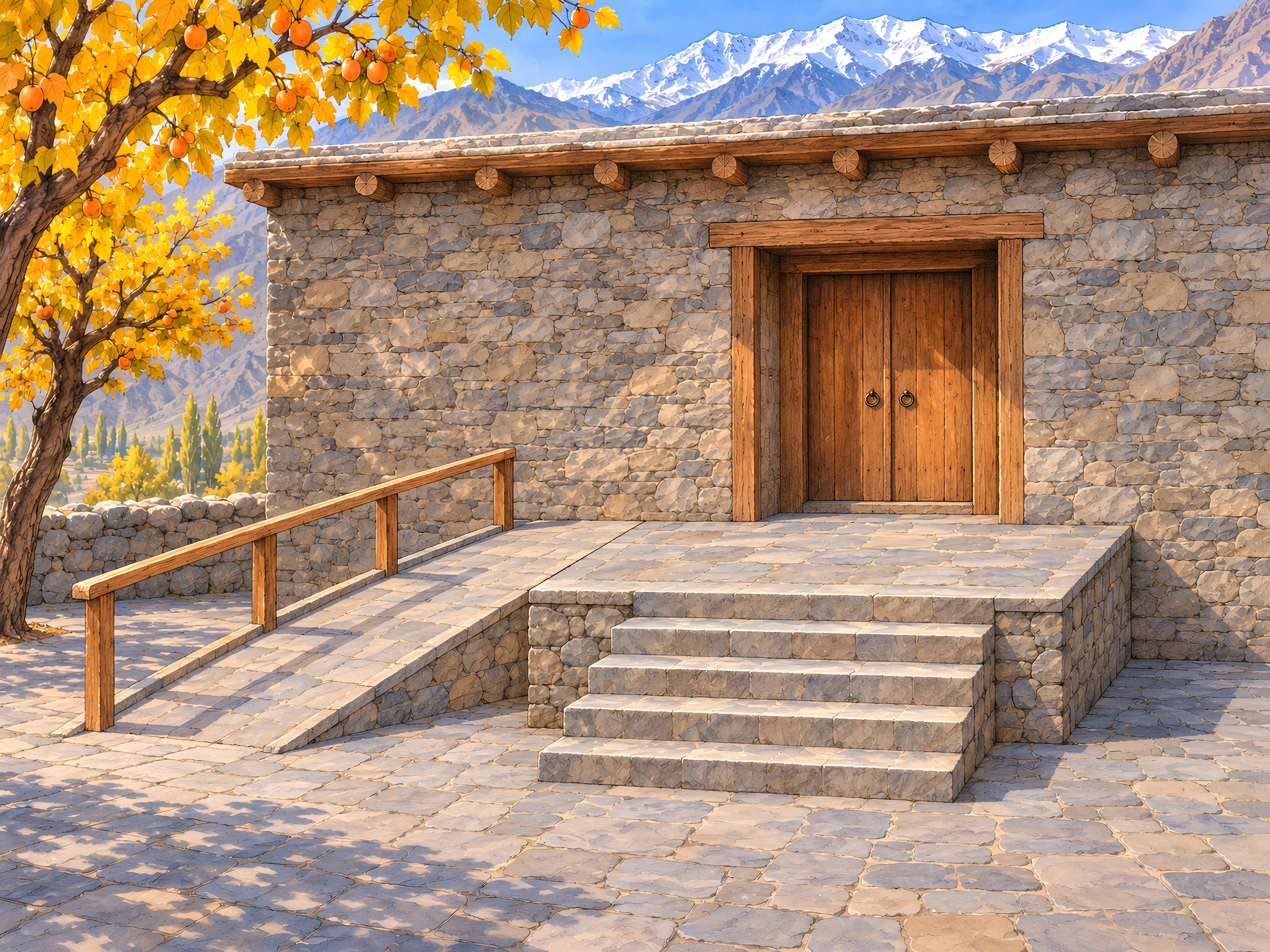
Name where each approach meets the entrance.
Set an approval check for each image. Staff need to know who made it, where the original lives and what use was agreed. Keep one copy of the credit beside the image. When a new photo replaces a concept view, update the caption, image description and page stage together.
Give the editor a small file list. Record the original, the approved public image and the copy used for the archive card. If someone finds an outdated crop, the list tells them which file controls it. The illustration styles guide shows a file check for a smaller and larger export.
What changes for an interior practice?
Show the room, use and scope of the work. If the practice chose materials or designed lighting, put that role into the record. If the work covered one room, make that clear. Use photographs and plans that show the piece the practice worked on. Add a note about a supplier or collaborator when the project needs that credit.
Check an interior project with the person who took the photographs and the person who wrote the brief. Ask them to mark the room, stage and role that the caption needs to explain.
Give the interior portfolio a simple way to show related jobs. A visitor can start with housing, hospitality or another type the practice actually serves. Add filters only where the team can apply the same terms to every relevant record. A small practice can start with a short list of services and a few complete project pages.
Try one page with a new client or another member of staff. Ask them which space the practice changed and what they would ask for next. If they cannot tell who did the work or whether a room is complete, improve the heading and caption first. Then check whether the page needs another view.
What changes for a development site?
Show which unit, building or phase a visitor is looking at. Give the reader the location and status in plain words. Put the details they need close to the image and enquire link. When a drawing shows a possible fit-out or view, label it. Use the information the developer can confirm and remove stale offers when the status changes.
Agree where a current list of units comes from. The site can use a feed, a supply of unit information from another system, or a maintained record. Write down who updates each status, what time it was checked and what happens when a unit is no longer available. Ask how staff will follow up when the form reaches them. Put a clear confirmation on the page after a test.

Update the unit record first so the listing and enquiry form carry the same status.
For a Dubai or other Gulf project, check the address and contact route in each language you publish. Give the reviewer a real unit name and a full example of the text they need to check. Try the floor plan on a phone. Put the area, current stage and the next step in the surrounding words if the drawing is too small to read.
Keep dates and availability consistent when the same unit appears on a public page, a brochure and a booking form. Ask which record changes first. A member of staff should be able to mark one unit unavailable and find the new state on the public site. Put that test in the brief when the work includes live listings.
The builder behind a development needs its own proof. Construction websites: what to copy sets it out.
How do you keep availability current?
Keep availability current by assigning an editor to update one agreed unit record and checking that each change reaches the public listing and enquiry form. Use the same name in the form, contact record and confirmation. Ask which field shows whether a unit can be offered and who can update it. A team using a separate unit list needs to see what the public page does after the list changes.
Choose one available unit and one reserved unit for the test. Change the sample status and open both the project list and the page. Check what the next visitor can see and do.
Keep the old address if the project page still helps someone find the location or ask about another phase. Put the current state beside the contact link. Write a short update note when several people can change the same record. It should give the next editor the source of the status, the place they change it and the test they can repeat.
An agent showing other brokers' listings has a stricter version of this rule. Real estate websites for realtors quotes it.
What did the search sample contain?
I checked 140 queries in the studio's saved search sample about architecture, interiors and property development on 12 November 2026. The grouping rule first assigned queries containing interior to interiors, then queries containing architect to architecture. Queries containing real estate, developer, construction or property went into development. The remaining rows went into a separate group. This sample counts saved phrases, not search volume.
The development group is the largest in this slice. For your own practice, put the project type and place people ask about on the page they are likely to share. The count describes search phrases in the saved list.
Use your own project names and services to write useful page titles. If the practice gets enquiries about one kind of work, give that work a public page with an example. If an address needs its own page, keep the main details and contact there. The website design by trade guide explains how to choose a first task for another trade.
How much does an architect website cost?
ShepherdUX lists a five-page custom website from USD 4,800, with optional care at USD 150 a month, on its website service page. This is the custom build, distinct from the lower-priced customised Wix or Squarespace site and illustrated landing page. A large portfolio, language version, image processing or unit feed adds its own scope. Ask for one sample record to be included in the quote.
| Scope | Starting figure or estimate | What to give the builder |
|---|---|---|
| Small custom site | From USD 4,800 at ShepherdUX | Main pages and one complete project |
| Portfolio import | Quote after a small sample | Current URLs, image files and project details |
| Current unit information | Quote after the source is known | Status fields, owner and one example update |
| Optional care | USD 150 per month at ShepherdUX | Who edits, renews and checks the site |
List the work the studio and the practice will do separately. If the practice can provide captions and approved images, write down who will send them and when. If the builder has to organise or correct the records, ask how it will be done and who checks the result. The studio cost guide shows how site and drawing work can have separate lines.
How should the work be handed over?
Start with one small project page. Give the builder the words, date, stage, role and permission information. Ask the people who will edit the records to review it before you order a full set. Keep their decisions with the project file. Then test whether they can add another job using the same record fields.
Give the next editor sample text for each case: a draft record, a project ready to publish and a change waiting for approval. Have them save and reopen a test record. Ask which state a client can see and where they would send an image for review.

Ask the next editor to make a second record from an approved example.
Pick a useful test project.
Use a project that can be described and shared. Give the builder one approved image and the exact practice role.
Make the record work on a phone.
Test the title, images, stage and next link. Try a long project name and one missing image.
Test the most important update.
Change a stage, credit or unit status in the editor. Check the public page and any shared list.
Give the practice the keys.
Name the people who edit records and maintain accounts. Share where the images, credits and approved words live.
The studio portfolio gives examples of work with separate public addresses. Use your own project to set the content and checks for the practice's site.
When is a smaller change enough?
Start with the pages people can already reach. Add clearer descriptions and roles where those facts are missing. Update an old contact route if people can see the work but struggle to enquire. A practice with a few good projects can use those pages to show what it does before it needs a large set of filters.
Keep the current status beside the project or unit. A beautiful view cannot answer whether the work is proposed, in progress or ready for someone to visit.
If the old site cannot keep records current, ask what would help staff change them. Give the builder a real example and a test. Replace a layout when it solves that problem or gives people a clearer way to find work. Keep addresses people still use, or set a redirect, which sends visitors from the old address to the new one, when a page must move.
What does an architect website need, cost and keep current?
These answers cover required pages, portfolio choices, website costs and responsibility for updates.
What does an architect website need?
Start with services, project pages, information about the practice and a clear contact route. Give each project a stage, role, place and useful images.
Should a concept project go on a portfolio?
It can when the practice can share it and the stage is clear. Label the drawings and say what role the team held.
Does an interior designer need filters?
Use filters when a visitor has enough records to compare and staff can keep the categories consistent. A small set of complete projects can use ordinary links.
Can a development site use drawings?
A drawing can show the plan. Label which views are proposals and put current unit or project information beside them. Give someone ownership of updates.
How much does an architect website cost?
The ShepherdUX custom five-page build starts at USD 4,800. Quote additional project pages, image work, languages and live tools from the actual scope.
Who should update the portfolio?
Assign a person to the project facts, captions and permissions. Give them a way to edit the record and check the public result.
Sources
- ShepherdUX built-world query slice, counted on 12 November 2026. The 140 saved rows were grouped by the rule in the article.
- RIBA Plan of Work, checked 12 November 2026.
- Complex Images, W3C, w3.org, updated 8 April 2026, date read 15 November 2026.
- Website design services and prices, ShepherdUX, shepherdux.com, date read 15 November 2026.