Platforms and code
Auditing a site you inherit
What to check before you own a site somebody else built: the accounts, the crawl, and the three findings that change the price.
·

A technical SEO audit checklist is a review of how search engines reach, render (build) and index (store) the right pages. Find out who controls the domain, DNS, hosting, code repository and Search Console. Compare the crawl and sitemap with a dated Search Console export. Mark any pages with search clicks that the crawl missed and check whether the rebuild includes them.
How do you use this checklist?
Start with account ownership, then compare Search Console, the crawl and the sitemap before pricing the findings.

The inspection route begins at the gate. Secure account access before following the checklist.
Ask for logins
List every account the site depends on and ask whoever hands it over for owner access, in writing.
Read Search Console
Export the pages that earn clicks before anyone changes a template.
Crawl and compare
Crawl the site and set the crawl beside the sitemap and the Search Console export.
Mark three findings
Keep the findings that change the price and park the rest.
Ask this studio too
Send the list here as well. The about page says who does the work.
Who owns the domain, hosting and analytics?
The person named on each account controls it, and that is not always the person who paid the invoices. Ask for five accounts by name. These are the domain registrar (the company managing the domain registration), DNS, hosting, code repository and Google Search Console property (the site's record in that tool).
Search Console's help on owners, users and permissions explains what happens when every verified owner is removed. The remaining users and delegated owners lose access after a grace period. The data is still collected, and no account can read it until an owner verifies again.
Analytics sits beside those five: ask for administrator access to the Google Analytics property as well, because a new one starts empty.
If you will move a WordPress site, ask for a backup of its database and files, as the WordPress migration handbook describes. Restore it on staging, a separate test copy of the site. Check that an editor can sign in and that pages, images and forms work.
On Wix or Squarespace the site and the hosting share one login, so its holder holds both. If a former developer's email controls the Cloudflare DNS zone, the site's collection of DNS records, every address change must wait on that person.
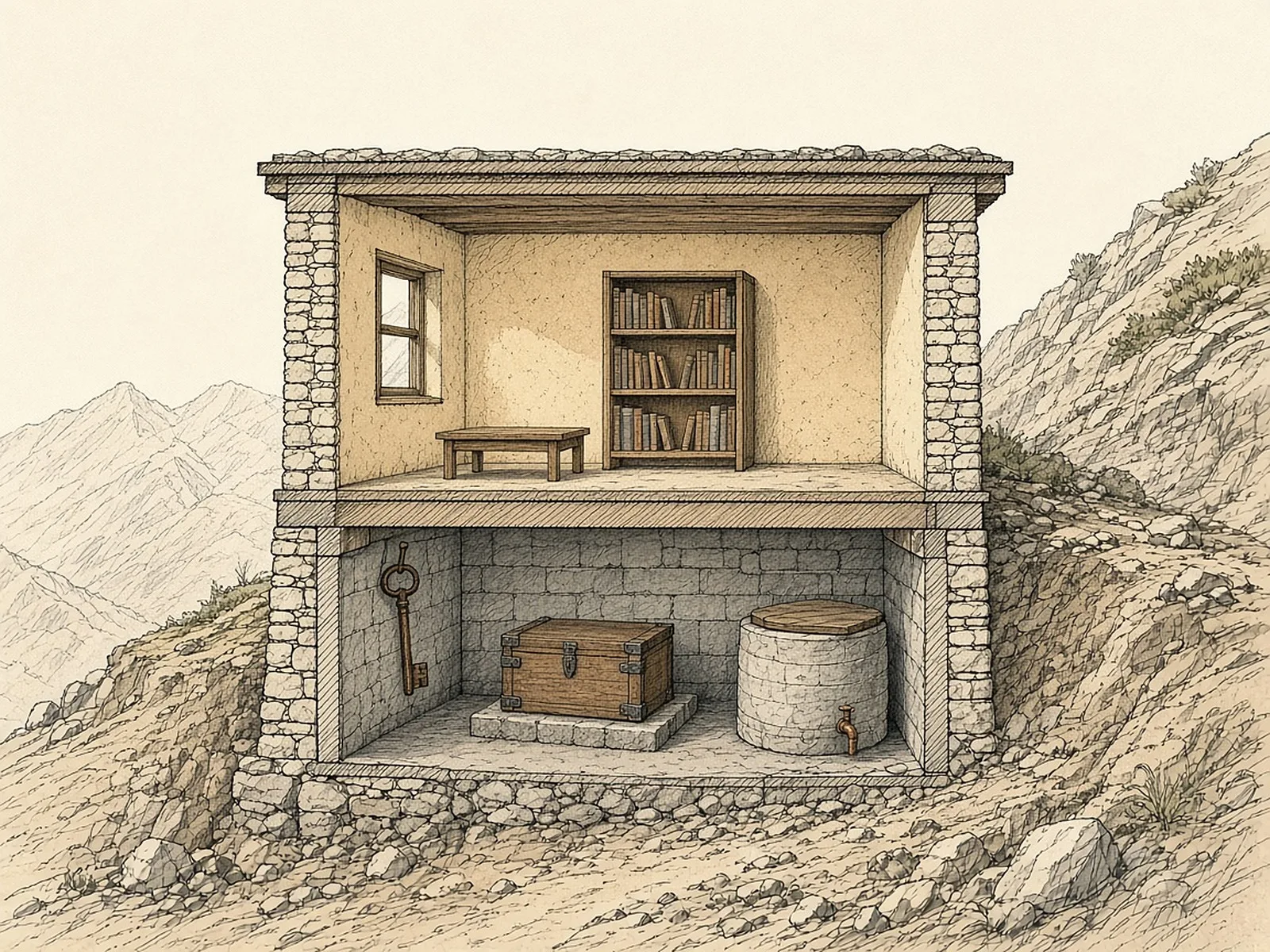
The house is shown cut open. The room above is what a crawl sees; the cellar holds the key, the deeds and the water that decide the price.
Worry at "the developer has all that", or at a domain registered in a volunteer's own name.
What should I fix first after a technical SEO audit?
Fix unintended barriers to crawling or indexing on important pages first, then rank the remaining findings by impact and effort. A broken URL, a page address, that visitors follow from the menu needs attention even if it has no search clicks.
For retired content, a 404 (the server's page-not-found reply) can be right. Google can remove an indexed URL returning 404. Check what it served, its replacement and links still sending visitors there.
"Google crawlers inform the next processing system that the content doesn't exist."
Google Crawling Infrastructure, How HTTP status codes affect Google's crawlers, 4 February 2026.
The table lists common findings on an inherited site, sorted by what they change, as of October 2026. An SEO content audit, run in public reads the same figures on this journal's own entries.
| Finding | What the tool shows | Changes the price? |
|---|---|---|
| 404 on a retired URL with no working links to it | An error | Check that the page was retired on purpose |
| Missing or long meta descriptions | A warning | No |
| A redirect chain of two hops | A warning | Rarely |
| A low lab speed score | A red score | Only if real visits are slow |
| An earning page that returns 404 | One error among many | Yes |
| Earning pages in neither the sitemap nor the crawl | A notice, or nothing | Yes |
Which pages on this site earn anything?
Open the Performance report in Search Console and sort Pages by clicks. Compare that list with pages that brought enquiries or donations. Keep the date range in the export so the team can repeat it after launch.

The harvest gives a visible measure of return. Keep every URL with clicks, and prioritise those bringing enquiries or donations.
Keep every URL with a click, and mark the ones that also bring enquiries or donations in Google Analytics. Those are the first rows in the redirect map, the list matching old page addresses to their replacements. The website migration checklist explains how to test the map before launch.
Web Vitals on web.dev, last updated in October 2024, sets a good Largest Contentful Paint, the moment the largest image or block of text on screen appears, at 2.5 seconds or less, read at the 75th percentile of page loads. One slow lab run on one page is not that measure. What is a content audit? names the five verdicts each page can get.
What does the crawl say the sitemap does not?
The crawl shows the site as a link-follower finds it; the sitemap shows the site as the last developer described it. The gap between the two lists is the part that needs a person's time.
The Screaming Frog SEO Spider crawls up to 500 URLs in a single crawl in its free version. This may be enough to see whether a small site outgrows its sitemap. The free version restricts configuration and API integrations, connections that let software exchange data. The comparison may therefore need a paid licence or a spreadsheet. End with three lists: sitemap URLs no link reaches, crawled URLs the sitemap leaves out, and earning URLs that appear in neither.
The shaded area at the bottom of the diagram shows pages that earn clicks but appear in neither the crawl nor the sitemap. A rebuild from the sitemap deletes them.
A site split across country domains needs a separate comparison for each domain. The guide to moving a .de site to subfolders shows what to record.
Which findings change the price of the work?
Inaccessible accounts, earning pages missing from both the sitemap and crawl, and content locked in a page builder or plugin change the quote. Each needs a person's time rather than a setting change.
- An account you cannot reach. Recovering a registrar login or a Search Console property waits on another person, and the wait is billed time or a stalled project.
- Earning pages in neither the sitemap nor the crawl. Each one needs a row in the redirect map and a check after launch.
- Content held inside a page builder or a plugin. A WordPress page builder can store a page as shortcodes, instructions that generate content, rather than text. Those pages can need rebuilding by hand.
Put those three findings in the brief by URL and account name. The website cost guide explains where that work appears in the quote.
When should you walk away from a site?
Pause the move if ownership of the domain is unclear. Ask the business to confirm who controls the registrar account. That account may be needed to keep the old address working.
Injected spam pages in Search Console's Security issues report, or a theme left for years without updates, turn the audit into a rebuild. Which website platform to pick is then the first decision.
Worry at a promise to sort the domain out after launch. That promise is how a foundation ends up renting its own name.
The six questions at a glance, as of October 2026:
| Question | A good answer | What should worry you |
|---|---|---|
| Who owns the accounts? | Five accounts named, owner access in writing | "The developer has it" |
| Is the error count the priority? | Findings sorted by what they cost | A score and a total |
| Which pages earn? | A Search Console export sorted by clicks | An audit with no Search Console |
| What does the crawl miss? | Three lists set side by side | A crawl with no sitemap beside it |
| What changes the price? | Three findings named by URL | A fixed fee before the logins |
| When to walk away? | When the domain cannot be proved | Taking it on anyway |
What does ShepherdUX check before quoting?
ShepherdUX quotes nothing until it knows who controls the domain, the hosting, the code and the measurement accounts. The audit reads Search Console and crawls the site, and the written quote names what the audit found that moved the price.
The website migrations page describes that work.
One limit: these six questions read the plumbing and not the writing, so read two pages aloud before keeping them. Today, ask whoever handed you the site for owner access to the five accounts, in one email.
What should a technical SEO audit checklist include?
Include account ownership, the pages that earn in Search Console, a crawl set against the sitemap, and the findings that change the price. Speed and metadata come after.
How long does an audit of an inherited site take?
A crawl of a small site is quick. The wait is for the logins, so send the requests on day one. At ShepherdUX the migration audit arrives within a week of read access.
Is a website migration checklist the same as an audit?
An audit decides what the site holds and what it costs to take on. A migration checklist runs at the move, starting from the audit's lists.
Do 404 errors hurt a site's SEO?
Google removes indexed URLs returning 404 over time, regardless of past clicks. Check whether the page should exist, has a relevant replacement or receives visitors through links before choosing a fix.
Should a redesign wait until the audit is finished?
The design can start, but nothing goes live until the earning pages are mapped. Unmapped URL changes can lose rankings.
Does a local business need a different audit?
The same six questions apply, plus the Google Business Profile, which is one more account to claim. Check who manages it.
Sources
- Managing owners, users, and permissions, support.google.com, read 1 November 2026
- How HTTP status codes affect Google's crawlers, developers.google.com, last updated 4 February 2026
- Web Vitals, web.dev, last updated 31 October 2024
- Screaming Frog SEO Spider Website Crawler, screamingfrog.co.uk, read 1 November 2026
- Migrating WordPress, WordPress Advanced Administration Handbook, read 12 November 2026